Low-Code vs No-Code vs Custom Development Guide

By Gaurav Garg / August 06, 2025
In today’s digital-first world, having a website or application is essential for every business. Whether you are a startup, small business owner, or digital marketer, your online presence plays a key role in attracting customers and generating revenue.
However, one of the biggest decisions you will face is choosing the right development approach. Should you build your website using a no-code platform, a low-code tool, or go for full custom development?
Each option offers different levels of flexibility, cost, scalability, and control. Making the wrong choice can slow down your growth, limit your marketing capabilities, and increase long-term costs.
This decision is even more important because your website directly impacts your SEO performance, user experience, and conversion rates.
This guide will help you clearly understand each approach so you can make a smart and future-proof decision.
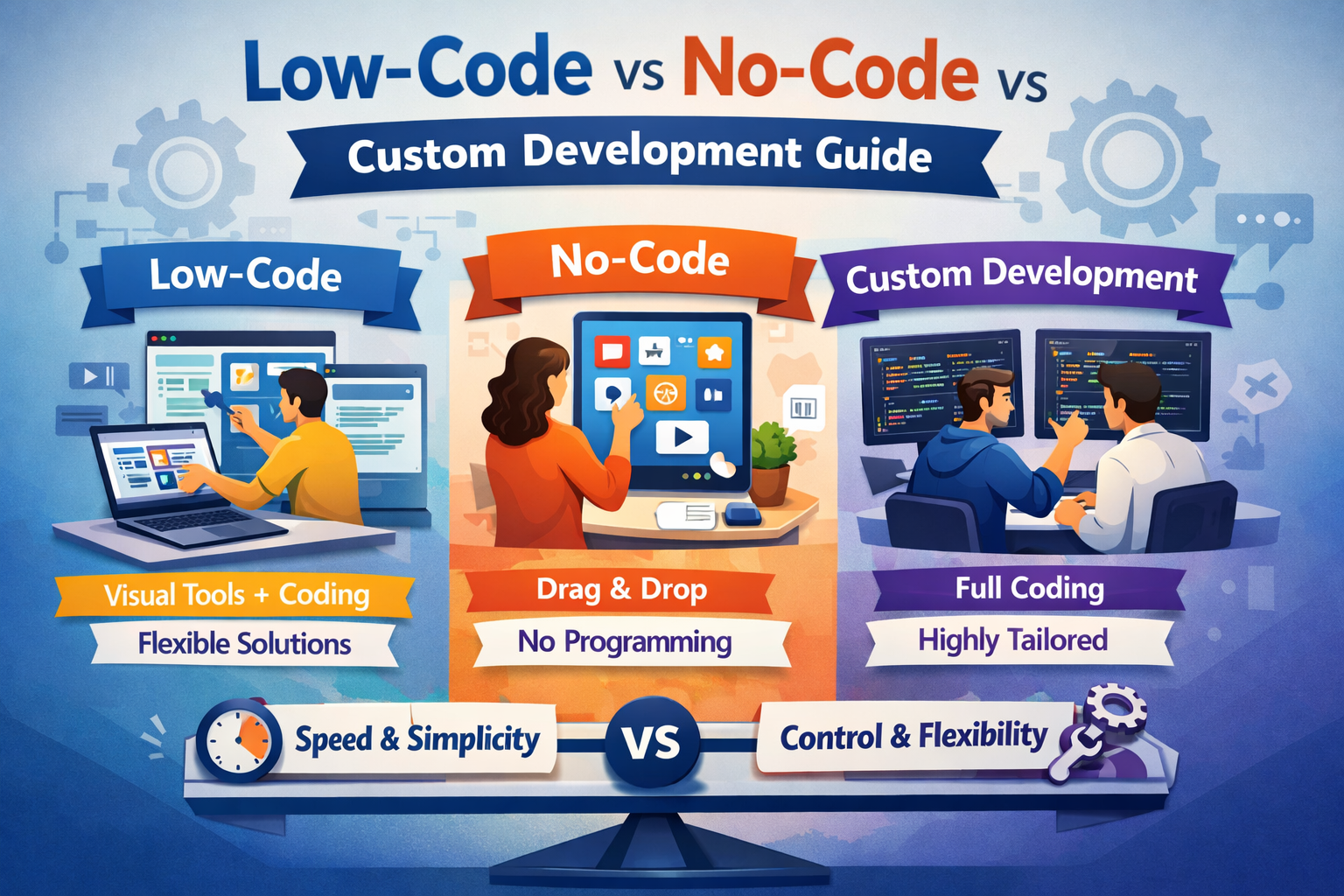
Before choosing a development method, it is important to understand how business needs have changed.
Today’s websites and applications require:
Many businesses start small but grow quickly. Choosing a development method that cannot scale may force you to rebuild everything later, which increases cost and effort.
That is why it is important to choose a solution that matches both your current and future needs.
No-code development allows users to create websites or applications without writing any code. These platforms provide visual editors where users can drag and drop elements to design pages.
They also offer ready-made templates and built-in features, making it easy to create and launch websites quickly. This approach is ideal for beginners, small businesses, and marketers who want a simple and cost-effective way to build an online presence without technical skills.
No-code platforms are designed for quick setup and ease of use without any coding knowledge:
No-code tools use pre-built components such as:
You simply select elements and customize them according to your needs.
You can build a website or landing page within a few hours or days. This is ideal for businesses that need quick results.
Since no developers are required, the overall cost is significantly lower compared to other methods.
No technical knowledge is needed. Even beginners can create professional-looking websites.
No-code is perfect for launching MVPs (Minimum Viable Products) and testing business ideas quickly.
You are restricted to what the platform allows. Advanced features may not be possible.
Some platforms do not provide full control over technical SEO elements like structured data or page speed optimization.
As your business grows, no-code platforms may not handle complex requirements.
You depend on the platform for hosting, updates, and features.
No-code development allows users to create websites or applications without writing any code. These platforms provide visual editors where users can drag and drop elements like text, images, buttons, and forms to design pages easily.
They also offer pre-built templates and ready-to-use features, making the process fast and simple, even for beginners. This makes no-code a great option for small business owners, startups, and digital marketers who want to launch websites or landing pages quickly without technical skills.
However, no-code platforms may have limitations in customization and scalability, especially for complex projects. As a business grows, users may need more advanced solutions like low-code or custom development.
Low-code platforms offer a balance between speed and flexibility with some coding capability:
Developers can:
This makes it faster than traditional coding but more flexible than no-code.
You can build faster than custom development while still having customization options.
Low-code platforms support APIs and integrations with tools like CRMs, analytics, and marketing platforms.
Suitable for businesses that expect moderate growth.
Compared to no-code, low-code platforms often provide better performance optimization.
You need basic coding skills to unlock full potential.
Still dependent on platform capabilities.
Not suitable for highly complex or large-scale applications.
Custom development involves building a website or application from scratch using programming languages like HTML, CSS, JavaScript, and backend technologies.
It allows full control over design, features, and performance, making it ideal for businesses that need advanced functionality and scalability. While it requires more time and cost, it provides better flexibility, customization, and long-term growth compared to pre-built solutions.
Custom development uses programming languages and frameworks to build fully scalable solutions:
Developers design and build everything:
You can build exactly what your business needs without limitations.
Custom-built solutions can grow with your business.
You get full control over technical SEO, page speed, and Core Web Vitals.
Optimized code leads to faster loading times and better user experience.
Custom security measures can be implemented based on your needs.
Requires skilled developers and more resources.
Projects can take weeks or months.
Regular updates and maintenance are required.
| Feature | No-Code | Low-Code | Custom Development |
| Ease of Use | Very Easy | Moderate | Complex |
| Cost | Low | Medium | High |
| Speed | Very Fast | Fast | Slow |
| Customization | Limited | Moderate | Unlimited |
| Scalability | Low | Medium | High |
| SEO Control | Basic | Good | Advanced |
| Performance | Moderate | Good | Excellent |
For long-term SEO success, custom development is the strongest option.
While no-code and low-code solutions are cheaper initially, they may lead to higher costs later due to:
Custom development requires higher investment but offers better long-term value.
You should move from no-code or low-code to custom development when:
Choosing between low-code, no-code, and custom development depends on your business goals, budget, and future plans.
For businesses aiming for long-term growth, performance, and SEO success, custom development is often the best choice.
If you want expert guidance in choosing and implementing the right solution, Entrustech can help you build a powerful digital presence.
No-code platforms allow you to build websites or applications without writing any code, using simple drag-and-drop tools. They are best for beginners and small projects.
Low-code platforms also use visual builders but allow some coding for added customization. This makes them more flexible and suitable for businesses that need more control and advanced features.
No-code platforms provide basic SEO features like meta tags, URLs, and page titles, which are enough for small websites.
However, they may have limitations in advanced SEO areas such as page speed optimization, structured data, and technical control. For competitive SEO, custom development or advanced solutions are usually better.
Startups often choose no-code or low-code because they are faster and more cost-effective. These options help launch products quickly and test ideas without heavy investment.
As the business grows, many startups switch to custom development for better performance, scalability, and long-term growth.
Custom development is best when you need a scalable and high-performance solution with full control over features and design.
It is ideal for businesses that expect growth, require advanced functionality, or want strong SEO performance and better user experience.
Low-code is faster and easier to build, making it suitable for small to medium projects.
Custom development, however, offers complete flexibility, better performance, and higher scalability. For complex or long-term projects, custom development is usually the better choice.
Yes, many businesses start with no-code and later move to custom development as their needs grow.
However, switching may require rebuilding parts of the website, so it is important to plan ahead and ensure your data and SEO structure are properly managed during the transition.
Social media automation is a powerful tool when used with intention and strategy. Automating the right tasks improves efficiency, while keeping interactions human builds trust and loyalty.
WhatsApp us